
User profile is coming soon!
Iceberg
Premium, do-whatever-you-want SVG logos
File Type
SVG
Variations
Files
3
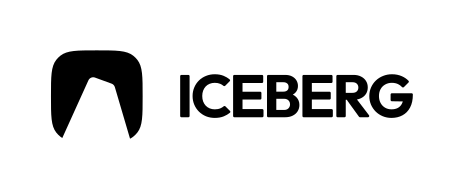

Iceberg Logo SVG Placeholder for Cold, Clarity, and Data UI Mockups
The Iceberg logo is a concept-driven placeholder asset designed for cold-themed layouts, clarity-focused branding, and data or system UI mockups that need a crisp, minimal identity. It works well in analytics dashboards, security-style interfaces, climate or weather concepts, and modern product landing pages where the tone should feel precise and composed.
Designers often use iceberg metaphors to suggest depth, hidden complexity, and structured layers. This logo supports that narrative without tying your mockup to a real company.
Iceberg Logo File Formats and Variations
The Iceberg logo is provided exclusively as a scalable SVG.
What you get with this Iceberg logo:
- SVG format only
- White, black, and color-ready SVG variations
- Fully scalable vector artwork for web, app, and presentations
SVG-only delivery keeps the logo sharp in small UI components and large hero sections alike.
Iceberg Logo Meaning and Design Context
Iceberg-style identities often communicate cool precision, depth beneath the surface, and strong structure. In design workflows, that maps to analytics, monitoring, security, climate tools, and systems that reveal insights over time. As a placeholder, the Iceberg logo helps you explore that story visually while keeping the identity neutral and clearly non-official.
It’s especially effective in dashboards where information density is high and the brand needs to feel calm and reliable.
Best Use Cases for the Iceberg Logo
- Analytics and reporting dashboards
- Security and monitoring UI mockups
- Climate and weather concept tools
- Data-heavy SaaS landing pages
- Product demos and pitch decks
- UI case studies and presentations
How to Use the Iceberg Logo in Mockups
- Download the Iceberg logo SVG
- Place it into headers, nav bars, or dashboard frames
- Adjust color for contrast and tone (cool palettes work well)
- Scale freely across breakpoints and components
- Export the final design or slides
Iceberg Logo License and Usage Notes
This is a generic placeholder logo intended for design and mockup use only and not an official brand.
Other Logos
Choose what fits best.